

How to Verify the Authenticity of Alibarbar Vape
New Version Verification
Find the Verification Code
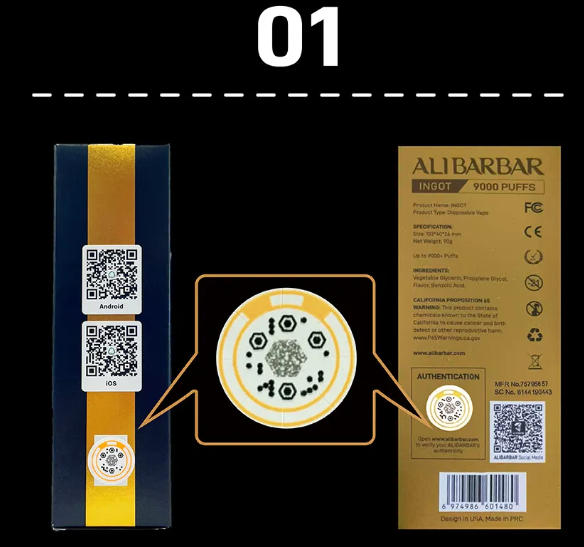
First, locate the new version of the verification code on the box.
Take a Photo for Verification
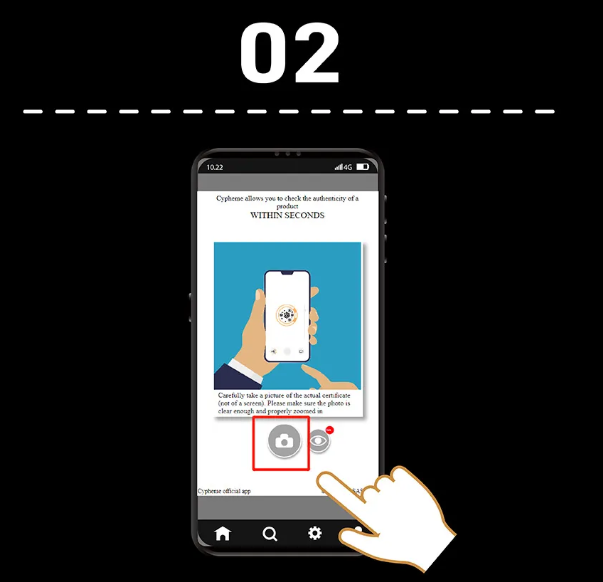
Click the button to upload a photo of the verification code.
Check the Results
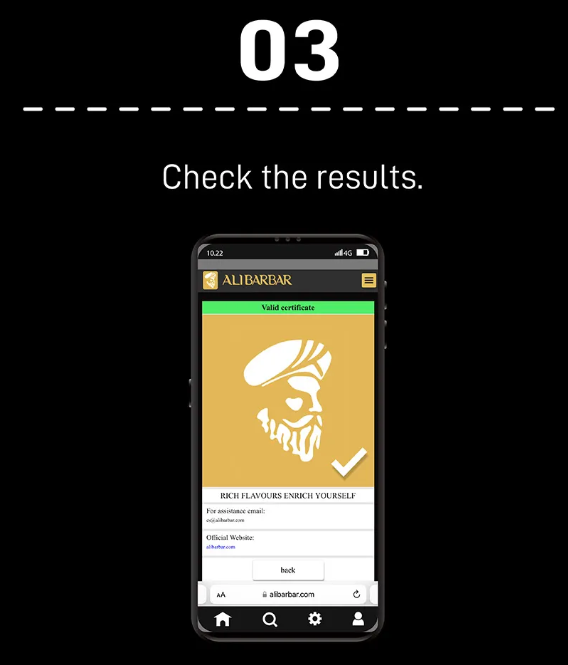
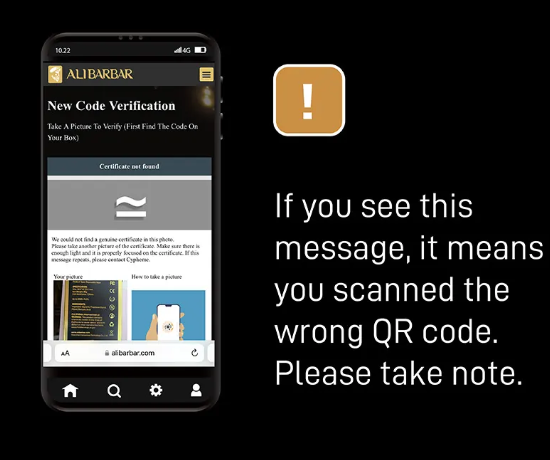
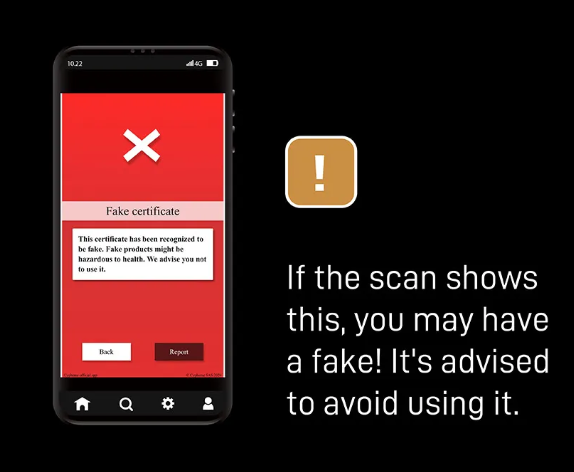
After verification, you will see the image and details of the authentic product. If you receive an error message, it means the QR code you scanned is invalid. Please double-check.
Old Version Verification
Locate the QR Code
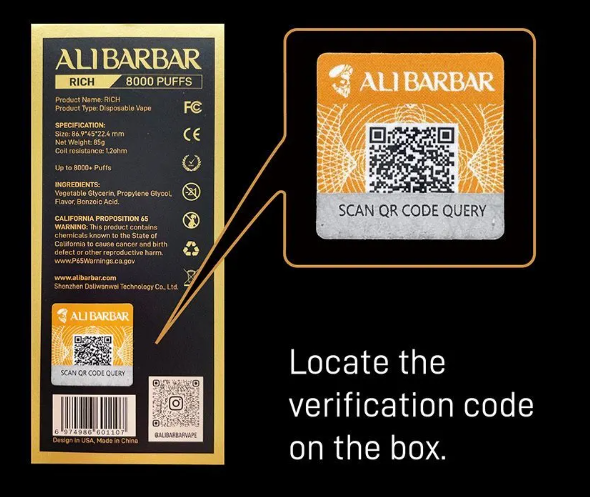
Find the QR code on the box.
Scratch off the Verification Area
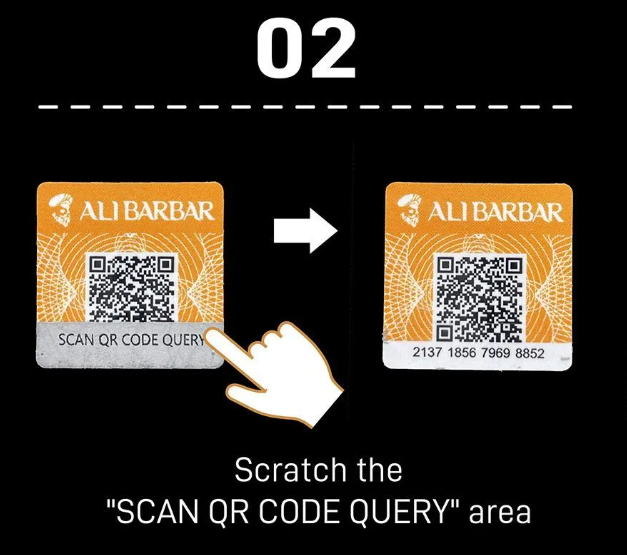
Scratch off the "SCAN QR CODE QUERY" area to reveal the QR code.
Scan the Code
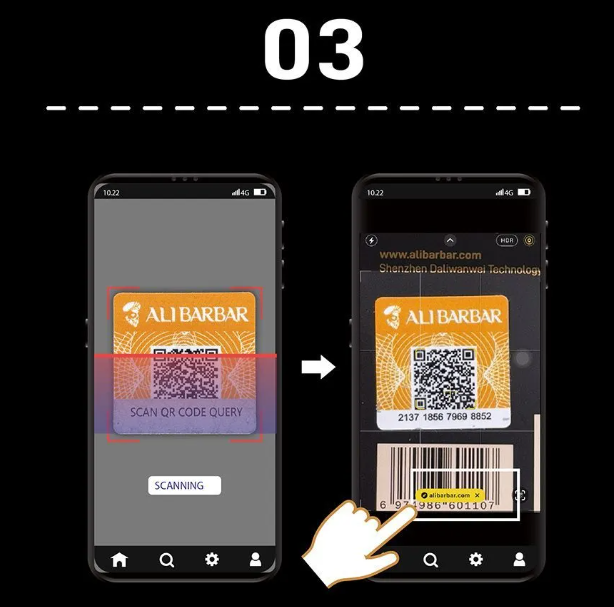
Use your phone to scan the QR code and visit alibarbar.com for verification.
Check the Results
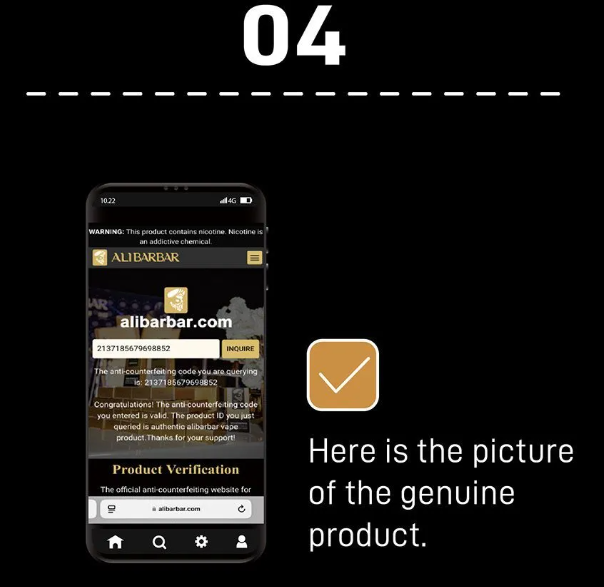
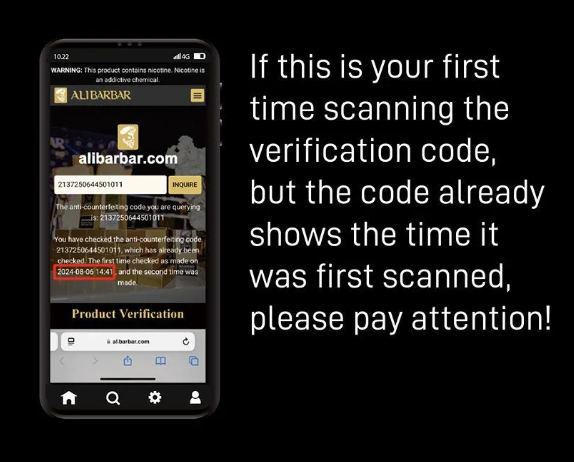
After verification, you will see the image and details of the authentic product. If this is your first time scanning, but it shows the date it was first scanned, be cautious—it might indicate the code has already been used.
By following these steps, you can ensure that your Alibarbar Vape is genuine. Always verify through official channels to avoid counterfeit products.
Comment